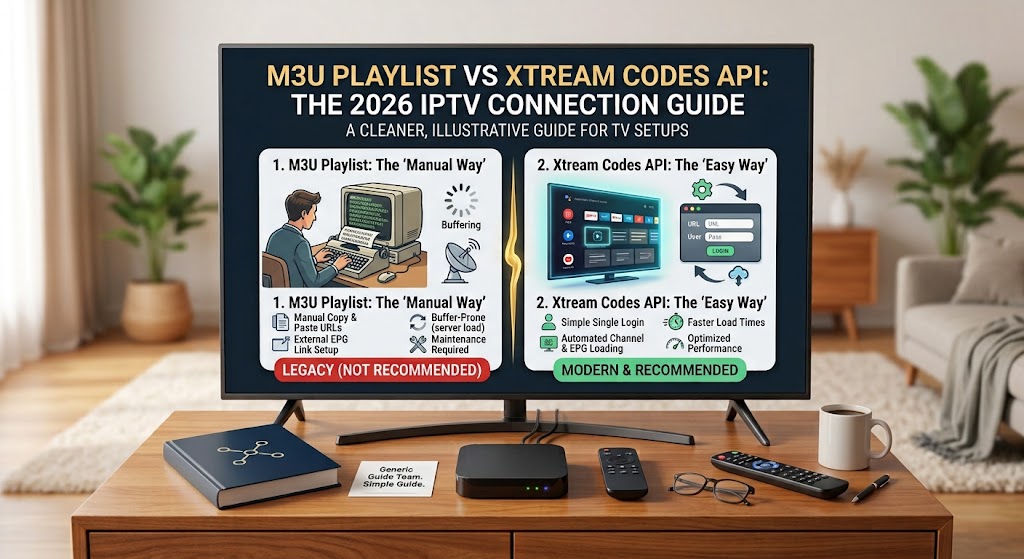
M3U Playlists vs. Xtream Codes API: Which Connection Protocol Should You Use in 2026?
Understanding IPTV Connection Methods in South Africa
When configuring your IPTV subscription on apps like IPTV Smarters Pro, TiviMate, or Smart IPTV, you are typically presented with two connection options: an M3U Playlist URL or Xtream Codes API credentials (Server URL, Username, and Password).
While both methods connect your streaming hardware to live channel feeds, they process media data, TV guide data (EPG), and video-on-demand (VOD) libraries differently. Choosing the right protocol can resolve buffering, improve channel loading speeds, and save bandwidth on local fiber or LTE connections.
1. How M3U Playlists Work
An M3U playlist is a single plain-text index file that contains links to every single channel, movie, and series offered by your server. When your IPTV player opens, it downloads the entire text file at once and processes the channel order locally on your device.
            #EXTM3U

            #EXTINF:-1 tvg-id="SuperSport1" group-title="SA Sports",SuperSport Grandstand HD

            http://streamiptvsouthafrica.co.za:8080/live/demo_user/demo_pass/501.ts
M3U Performance Impact
Large M3U playlists containing over 20,000 live channels and 50,000 VOD titles can easily reach 15MB to 30MB in file size. Loading a raw M3U playlist on budget hardware like Fire TV Sticks or older Smart TVs forces the app to parse thousands of text lines into memory before displaying the main menu, often resulting in slow boot times or app crashes.
2. How Xtream Codes API Works
The Xtream Codes API connects directly to the IPTV database using structured JSON requests. Instead of fetching the entire catalog during application startup, your app queries specific categories on demand as you browse through the channel guide or movie subfolders.
            Portal URL: http://streamiptvsouthafrica.co.za:8080

            Username: sa_user_2026

            Password: secure_token_key
Dynamic Database Queries
When you select "Live Sports" or "South African Local Channels," the API fetches only that category from the server. Unopened categories remain stored on the server side, keeping local RAM consumption low and ensuring fast app navigation even on basic TV boxes.
3. Technical Feature Comparison
| Feature | M3U Playlist | Xtream Codes API |
|---|---|---|
| Login Method | Long static HTTP web link | URL, Username & Password fields |
| Boot Time | Slower (Parses full file into RAM) | Instant (Loads categories on demand) |
| TV Guide (EPG) | Requires manual external XMLTV setup link | Automatic synchronization via server endpoints |
| VOD & Series Metadata | Basic text titles without posters/cast info | Rich metadata, cover art, trailer links & seasons |
| Security | Plaintext password exposed directly in the link | Authenticated database token calls |
4. EPG and VOD Experience
Electronic Program Guides (EPG) are critical for checking live schedules on SuperSport, M-Net, and news channels. When using an M3U file, you must paste a second XMLTV URL into your player's settings. If that secondary link fails to refresh, your entire TV guide goes blank.
With the Xtream Codes API, the EPG feeds automatically through the same API link. In addition, video-on-demand content is neatly categorized with episodic thumbnails, cast descriptions, and IMDb ratings—transforming standard stream setups into a modern Netflix-style user interface.
5. Final Recommendation
• When to Choose M3U
Ideal for legacy media tools like VLC Media Player, Perfect Player, or simple Kodi addons that do not support API inputs, or when running custom short-list playlists containing only a few local channels.
✓ When to Choose Xtream Codes
Recommended for modern apps including IPTV Smarters Pro, XCIPTV, and TiviMate on Android TV boxes, Amazon Firesticks, and Samsung/LG Smart TVs for faster channel switching and automated TV guide syncing.